
RS232 Demo for Windows
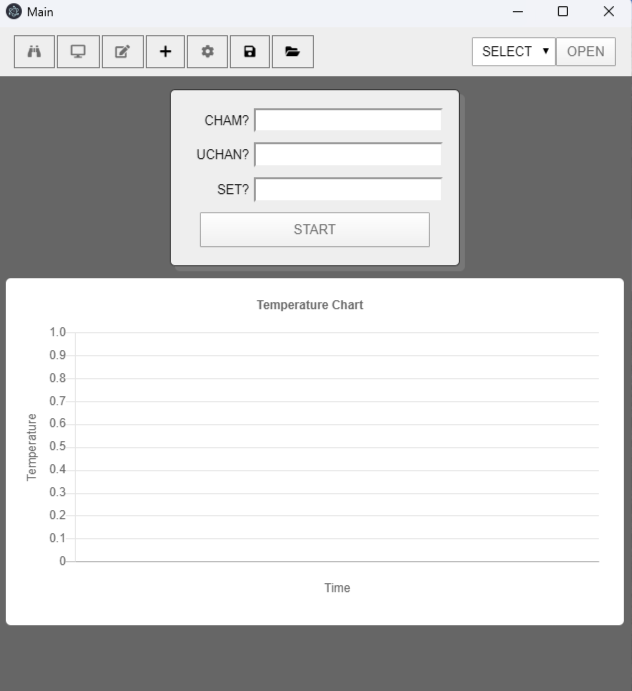 This RS232 application can be used as a tool for local program
editing and storage as well as data logging and temperature charting.
There are two versions available - one for the EC0X model chambers and
TC01 controller - and one for the EC1X model chambers, TC02 and PC
series controllers.
This RS232 application can be used as a tool for local program
editing and storage as well as data logging and temperature charting.
There are two versions available - one for the EC0X model chambers and
TC01 controller - and one for the EC1X model chambers, TC02 and PC
series controllers.
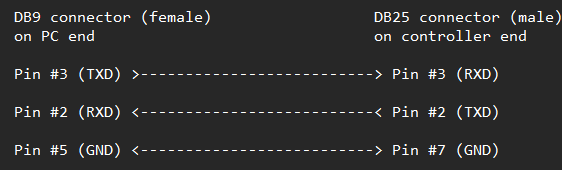
All that is required to run the application is a PC running Windows XP, 10, 11, an available RS232 COM port (real or virtual) and an RS232 cable wired in null-modem configuration as shown below.
Download:
Sun Serial App for EC1x, PC100-2, PC1000 and TC02 controllers
TC10RS232 legacy app for EC1x, PC100-2, PC1000 and TC02 controllers
RS232 DEMO REQUIREMENTS:
- PC running Windows XP, 10, 11
- Available RS232 COM port(real or virtual)
- RS232 cable (null modem configuration, available for purchase from Sun)
Options for PC's with no RS232 COM port
Most PC’s today no longer have an RS232 COM port. However there are several options available.
1. USB to RS232 converters
A good, quality USB to RS232 adapter such as those offered by USConverters are an excellent option than can be easily installed and used for RS232 communication. Most of these adapters are equipped with a DSUB9 connector and after installing, create a virtual COM port. You can then connect this cable from the adapter's DSUB9 connector to the DB25 connector on the back of your Sun chamber to allow remote communication. You can manufacture this cable yourself and wire as shown below or purchase this 6' cable from Sun (part number: 930026).
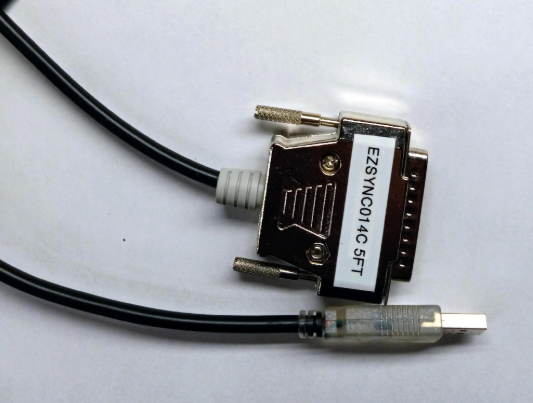
Some cables such as the EZSync014C come with a DB25 male connector which eliminates the need for the DE9-F to DB25-M cable.
USB to Serial Guides
2. Wireless using a serial to WIFI adapter
Another option is to use a serial to WIFI adapter such as the S2W232E-ESP32 or the WF5000B from USConvertersThese adapters allow you to remotely communicate wirelessly up to 100m. You will still need a DE9-F to DB25-M cable as described above (Sun part number 930026) to connect from the chamber to the adapter, but the adapter will communicate wirelessly with your PC, laptop, android phone or tablet up to 100m away. You can communicate either one on one with the chamber using your PC’s wifi adapter or add the adapter to your network to allow one PC to communicate with multiple adapters (chambers). A procedure on how to use either adapter to communicate with a Sun chamber can be downloaded below.
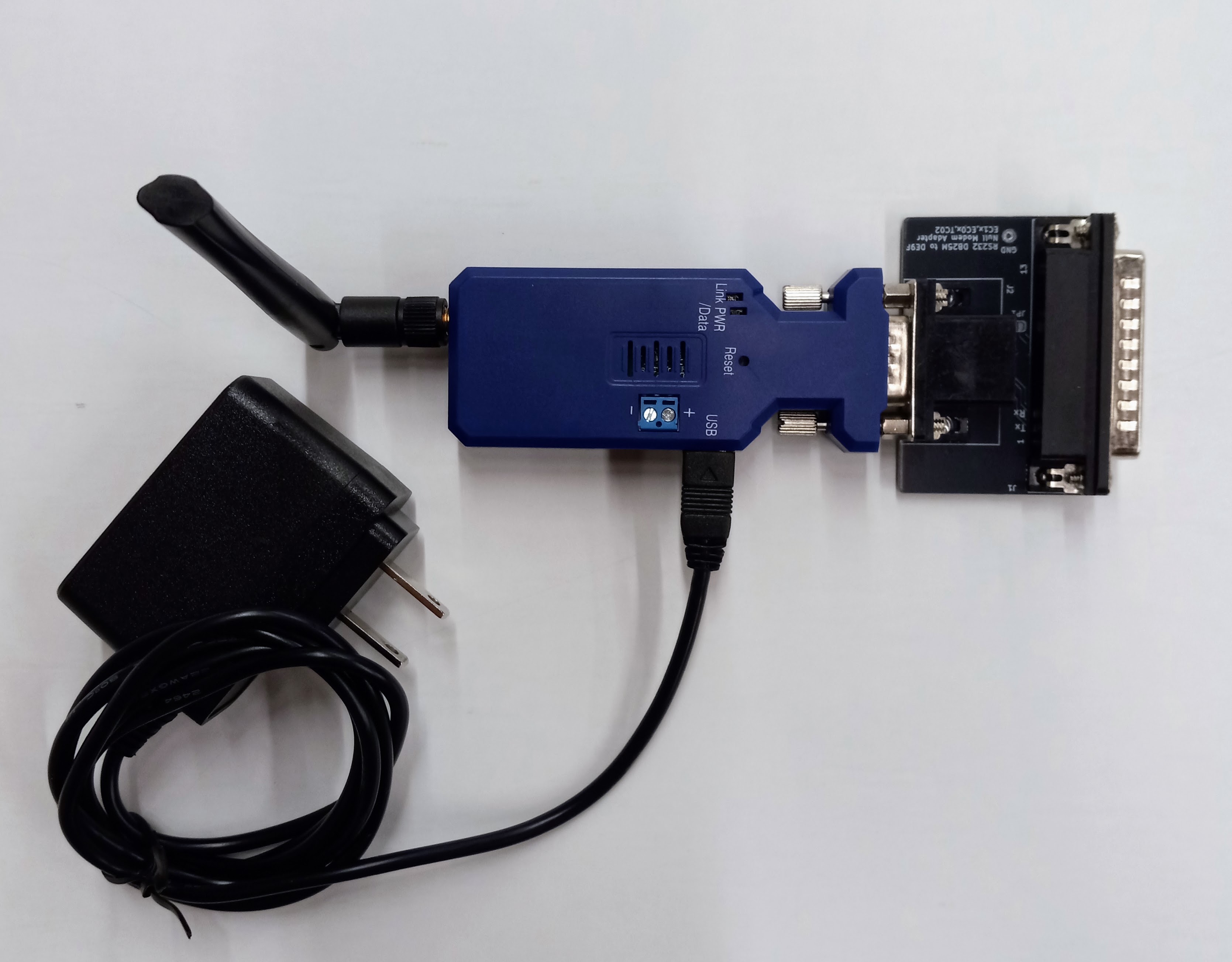
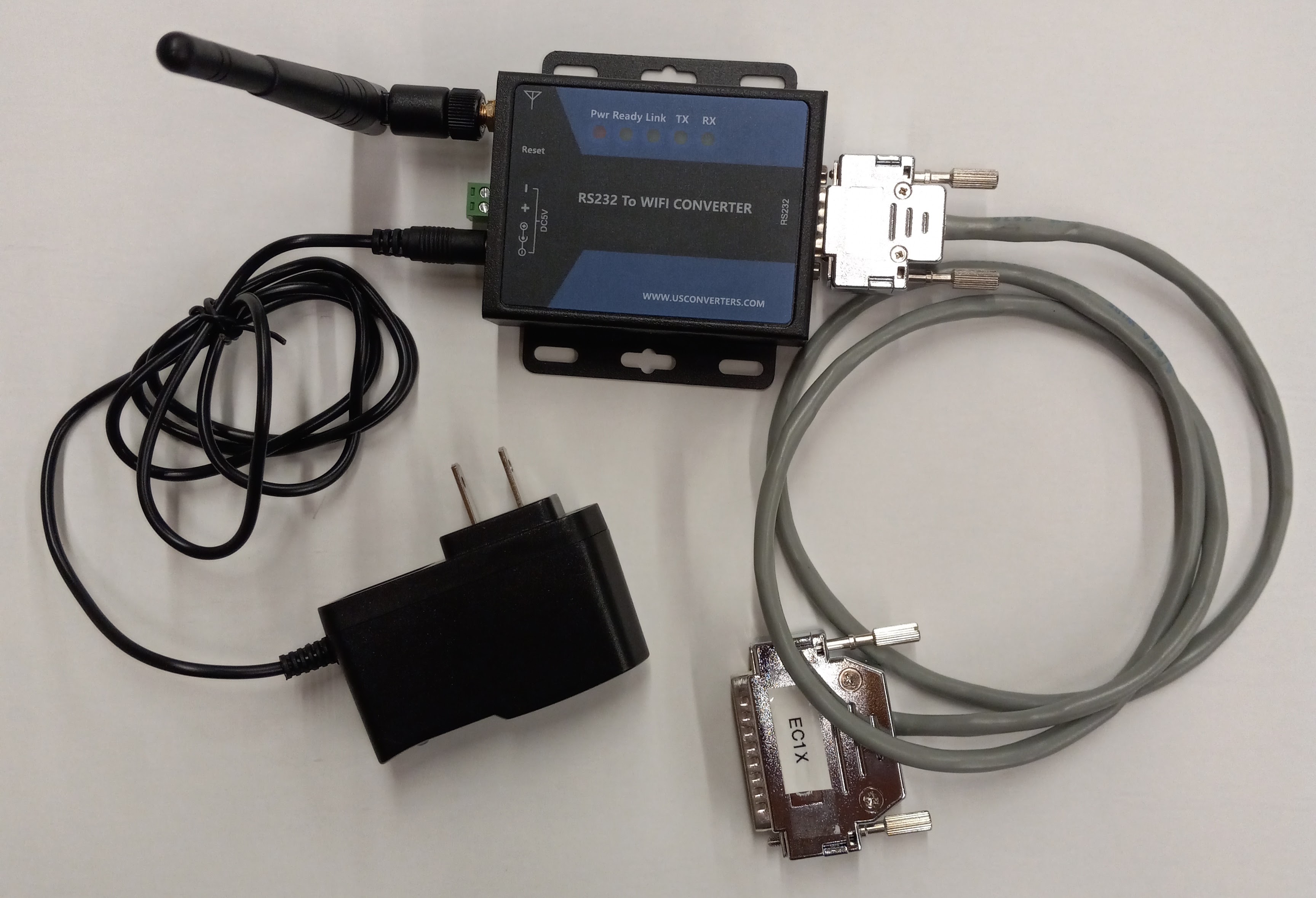
Serial to WIFI Setup Guides for the S2W232 and WF5000B
- Add S2W232 serial to wifi adapter to a network
- Add WF5000B serial to wifi adapter to a network
- S2W232 serial to wifi adapter AP mode (direct connection)
- WF5000B serial to wifi adapter AP mode (direct connection)
- Communicate with serial to wifi adapter using Android phone/tablet
- Connect to a serial to WIFI adapter from a remote network
3. Wireless Serial Bluetooth Adapter
Another wireless option is to use a serial bluetooth adapter such as those offered by USConverters. These devices work similarly as the wifi adapters with similar range. As with the wifi adapters, a cable (Sun part number 930026) is only needed to connect from the serial to bluetooth adapter to the chamber’s DB25 connector. An example procedure for setting up US converter's S2B2232FEV2 adapter can be dowloaded here